A desktop tool for a chip you can only program a handful of times
A battery fuel gauge is the chip that tells a device how much charge is left. In many modern battery packs, the same chip also protects the cells against overvoltage, overcurrent and overheating. Its behaviour depends on a detailed configuration stored in on-chip memory.
Getting that configuration right matters. A wrong value can make the state of charge drift, or make protection trip too early, or too late. And the memory that holds it can only be written a handful of times in the chip’s lifetime. So we built a desktop tool that makes battery fuel gauge configuration safe, visible and repeatable.
What the tool does
- Connects automatically. It finds the device, checks that the chip is present and reads its full configuration.
- Compares configurations. It shows a saved configuration side by side with what is on the chip, with every difference highlighted.
- Stages and tests changes. New values go into a temporary copy first, so they can be tested before anything becomes permanent.
- Commits with care. The permanent write is guarded, confirmed and tracked.
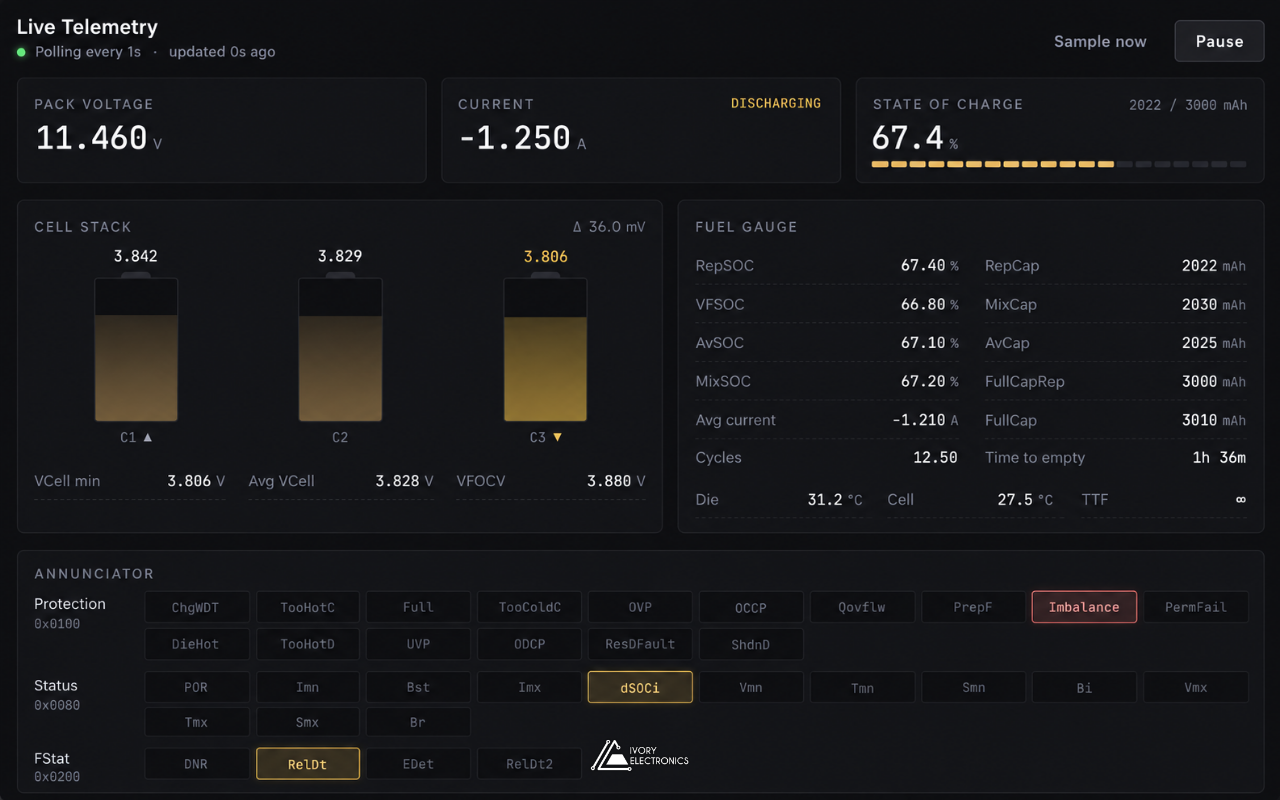
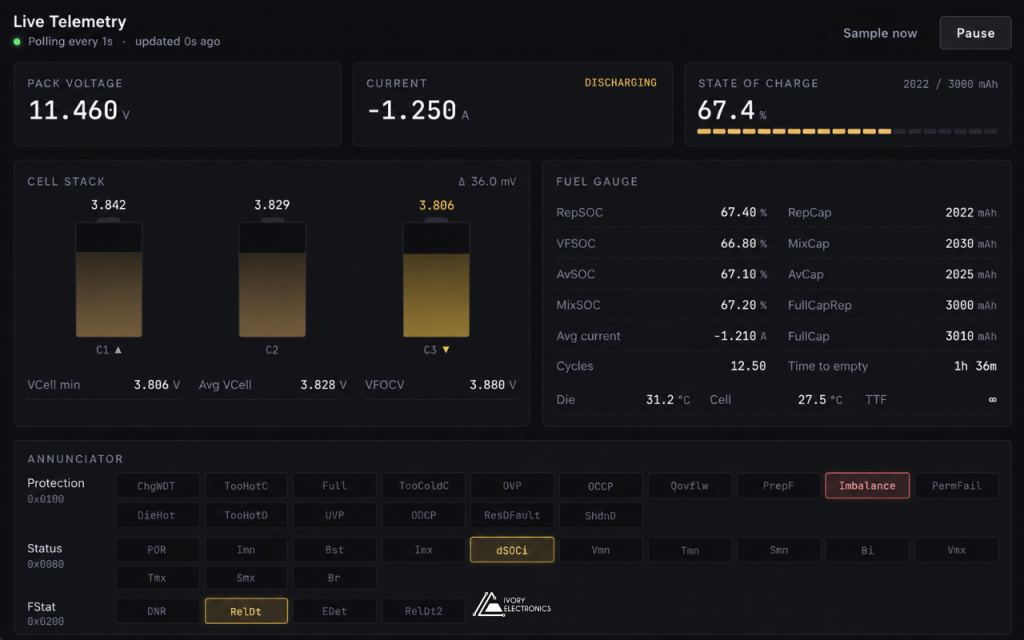
- Shows live data. Voltages, current, charge and temperatures update in real time.
Hurdle 1: A memory you can only write a few times
Most chips let you rewrite settings as often as you like. This one does not. Every permanent write uses up one of a small number of lifetime writes. Waste them, and the chip can no longer be updated.
So the tool never writes permanent memory by accident. Changes go into the chip’s temporary working copy first. A soft reset then reloads the chip from that copy, so the new settings can be tested on real hardware as often as needed, without using a write.
Only after testing does the commit step unlock. The operator must tick a confirmation box, and the button is disabled once no writes remain. A colour-coded gauge shows the remaining writes at all times: green is safe, amber means caution, red means almost none left. After a commit, the counter is read back from the chip to confirm it worked.
Hurdle 2: Knowing exactly what will change
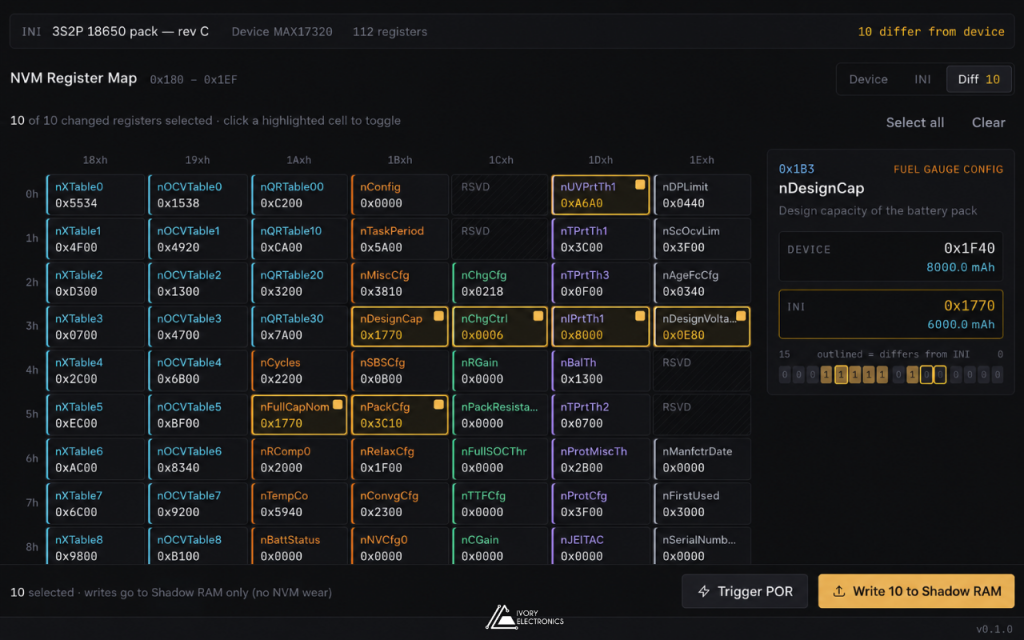
A full configuration contains dozens of values. Writing all of them blindly is risky and hard to review. The compare view loads a configuration file and places it beside the values currently on the chip. Differences are highlighted, and a filter hides everything that already matches. The operator selects only the values that need to change, and writes just those.
Hurdle 3: Raw registers mean nothing to people
Inside the chip, everything is a 16-bit number. A voltage, a temperature and a status flag all look the same. The tool decodes each value into real units: volts, amps, milliamp-hours, per cent, degrees and time. Status and protection bits are turned into readable flags.
The live view refreshes these values every second. Engineers can watch the battery fuel gauge respond as the pack charges or discharges, and check that a new configuration behaves as expected.
Hurdle 4: Finding the hardware without fuss
The chip sits behind a small microcontroller that acts as a USB bridge. Serial port names change between computers and cables, so asking the user to pick one is error-prone. On launch, the tool offers auto-connect. It scans the ports, finds the one that answers, confirms the chip is on the bus, reads the configuration and checks the write counter. Each step is shown on screen. If anything fails, it falls back to manual port selection with a clear error message.
Keeping a record
Configurations can be saved as named profiles, with a description, and exported as files for sharing or archiving. Profiles work offline, so a configuration can be prepared before the hardware is even on the bench.
A log tab records every message between the app and the device. Entries are time-stamped to the millisecond and colour-coded by direction. The log length is capped, so long sessions stay fast.
Under the hood
The bridge speaks a simple, line-based text protocol, which makes it easy to debug and to extend. The same code builds native installers for macOS, Windows and Linux.
Where it fits
The tool supports both development and production. Engineers use it to tune and validate a battery fuel gauge configuration. The same tool then applies that proven configuration to each new pack, with the same checks every time.
Working on battery fuel gauge configuration, battery pack production or custom engineering tools? We would like to hear about it. Visit www.ivory-electronics.com